
Crafting Material X01 2/5
Verified stepsAwaiting notes
Open the X01 3D Printer menu and use a Keycard Encoder Station. You print and encode nothing.
Objectives
- Production Assembly · E5
- Supply Depot · F2
- Data Center · I5
- Visit the 3D Printer in X01.
- Visit any Keycard Encoder Station in X01.
Screenshots
MapX01
Order page2/5
Steps4
Last verified10 Nov 2026
Walkthrough
Go to the X01 3D Printer
Go to the upstairs office on the west side of the Production Assembly, square E5.
Open the printer menu
Open the Print Item menu, then back out. You print nothing.
Go to an Encoder Station
Go to the Keycard Encoder Station in a small room on the east side of the Supply Depot (F2), or the one on the east edge of the Data Center (I5).
Use Encode Keycard
Interact with Encode Keycard. You need no keycard for the Order.
Screenshots
Screenshot slot: X01 3D Printer office. Screenshot slot: Print Item prompt. Screenshot slot: Keycard Encoder Station. Screenshot slot: Encode Keycard prompt.
Area intel
- 3D Printer
- Production Assembly, E5, upstairs office
- Encoders
- Supply Depot F2; Data Center I5
- Order page
- X01 2/5
- Page rewards
- Consumable Box recipe, Medical Box recipe, $20,000

Linked Orders, areas, and items
Areas
AreaE5 · Data Center floor
Production Assembly
Open area →AreaF2 · Data Center floor
Supply Depot
Open area →AreaEncoder at I5 · Data Center floor
Data Center
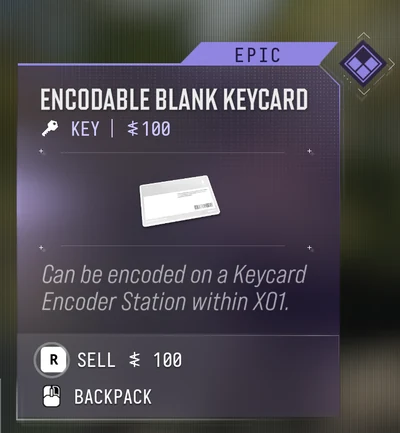
Open area →Keys and items
Sources
- DMZ Map — X01 guide — printer at E5, two encoder stations F2 and I5
- COD Central — MW4 DMZ Orders — Print Item, Encode Keycard, no keycard needed
- DMZ Codex — X01 Orders guide — visit objectives, Print Item, Encode Keycard
- MetaRadar — X01 Black Site guide — two encoder stations
- GamerFuzion — X01 Orders page 2 — Print Item and Encode Keycard ticked the Order
- COD Central — MW4 DMZ Orders — page 2 rewards
- GamerFuzion — X01 Orders page 2 — page 2 rewards
Frequently asked questions
Do you have to craft something for Crafting Material?
No. Open the Print Item menu and use Encode Keycard. Nothing is printed or encoded.
Where is the X01 3D Printer?
In the upstairs office on the west side of the Production Assembly, square E5.
What does X01 Orders page 2 pay?
Consumable Box recipe, Medical Box recipe, $20,000.